
Print an invoice
If an invoice is printed, it becomes locked and can be imported into SigaFinance EVO. It can therefore no longer be modified.
As soon as an invoice is saved, you can view, print, or email it. A draft invoice is also available.
Print a draft invoice
You must first view the invoice to access draft printing. A draft invoice can be printed (with a Draft watermark and no invoice number) and can be modified since the invoice is not locked.
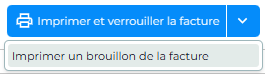
Print an invoice
This operation locks the invoice and an invoice number will be assigned to it. It will no longer be editable. If necessary, you will need to delete and recreate it to make changes.
Print an invoice as a PDF
To save an invoice in PDF format
- Print the invoice
- Select the icon to download the invoice
- If needed, change the file name and location. By default, documents are saved in the computer's Downloads folder.
To change the location, you can modify your browser settings.
- In Firefox, go to Settings / Files and Applications / Enable "Always ask where to save files".
- In Chrome / Edge / Brave, go to Settings / Downloads / Enable "Always ask where to save files".
💡Video clip - How to change the location of PDF Sigabill files?
The clip is only available in French
 Sigabill is an application developed by SIGA Informatique 2000 inc,
Last updated: 10/13/26, 9:00 PM