
Sheet
Depending on the type of sheet open, there may be 1 or 2 active sections in the sheet.
 To expand the view in the sheet, it is suggested to click on the button
← Close" to collapse the left menu. This function does not close the application!
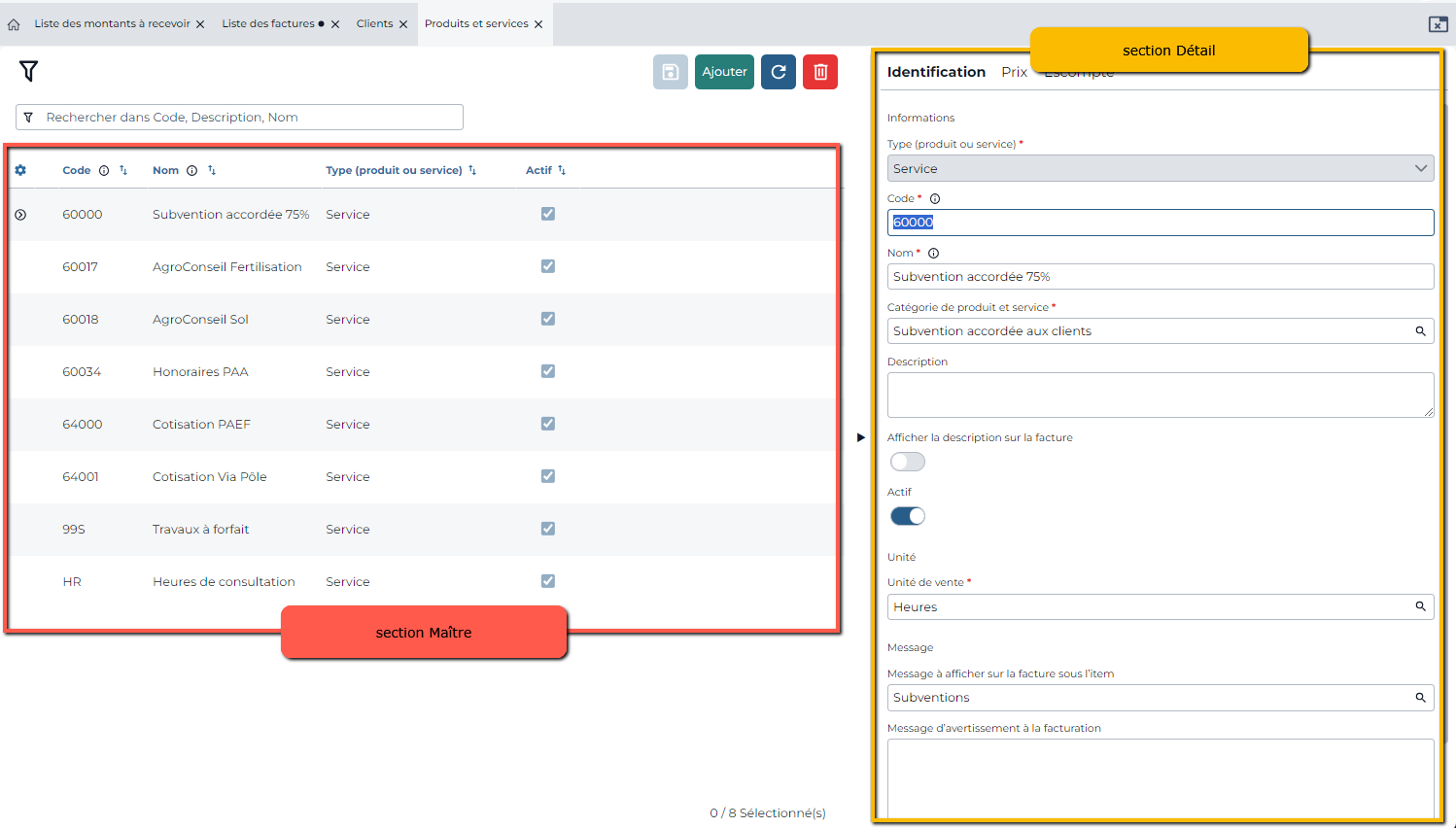
Sheets displaying items to add such as Clients, Products and services, Categories, etc. have 2 sections:
Master (left section on the page): contains the summary information (for example, the list of clients, invoices, etc.). This section is for viewing only. No item can be added directly to it.
Detail (right section on the page): contains detailed information for the selected item. The Detail section often contains different tabs. The active tab is underlined in blue. Required information is marked with an *. If the user misses essential information, a reminder message will appear.
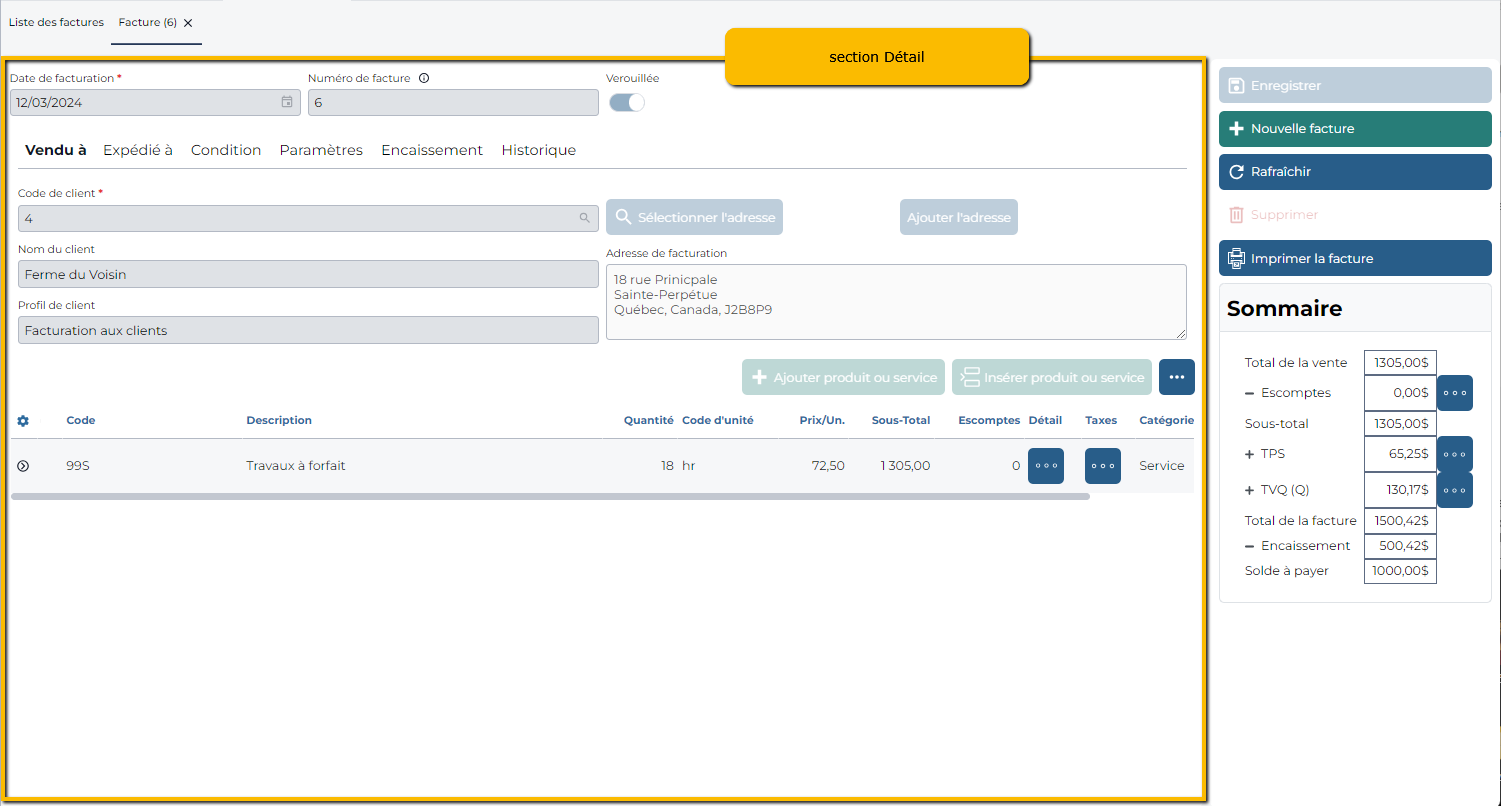
Sheets displaying transactions (invoices, payments, deposits) only contain the Detail
The Master section (summary of transactions) can be found in the List of these transactions.
 Sigabill is an application developed by SIGA Informatique 2000 inc,